The internet was unique back then. You don't have to worry about algorithms, AI taking over and social media having the same monotone structure and repetitive functionality.
Nowadays, you just have to pick few images for your profile picture and banner, write your description in a mandatory Arial font, and finally make content with images and words, hoping it will reach millions.
It has come to realize that we have become too dependent on social media, especially when it comes to artists.
but have no fear, folks! OwO For the old internet is alive well and in some parts being revived as we know it! Mainly with the help of the IndieWeb.
The IndieWeb, as stated, is a people-focused alternative to the "corporate-web", where it lies the most creative, awesome websites created and operated by you and you only. Whether it be in Neocities, Nekoweb, Github Pages, or you're thinking about or already bought a domain, you, my friend, have a website that you can control. ^^
"The website you created is the website that you own."
You can make your website with Visual Studio Code, Notepad, Neocities, Nekoweb or from scratch on Google Docs or Proton Docs, through with these format languages: HTML, CSS and Javascript.
(Note: I am still inexperienced to coding and making websites, so bear with me and contact me via guestbook or email if you need me to rephrase anything. ^^' This is most likely a guide, and not a step by step. I'm not very fluent with Javascript, so that part will be short in the future.)
HTML
HTML is a markup language that acts as the structure of the website, as they include the head and the body.
In the head area of your HTML, it is where the title of the website, external stylesheet and external script via link rel, and, in some cases, an internal style section and the script section for a single HTML file. Even more cooler, you can add your own logo for your website, known as the favicon image.
This is also where you add content onto the body section of the HTML file, including: text, headers, buttons, lists, tables, images, videos and audio. Tip: Always use < div > to create containers.
The main symbols for inputting content is < >.
It begins and end with "html" after you're either finished or in the process of making your website.

CSS
CSS is a language that serves as the design of the website. According to w3schools, there are over 700 CSS elements. Three ways of inputting a CSS stylesheet are internal, inline and external.


- Internal is for a specific HTML file via < style >.
- Inline is for a single HTML element.
- External is for multiple HTML files via .css file.
You can customize fonts, containers, buttons, backgrounds, lists, tables, images and videos. Sometimes it can be solved through a filter element.
The main symbols for CSS are the { } for applying style properties and ; to close one element.
When inputting a CSS element, make sure to check for the spelling, as well as adding only one colon and a semicolon. If not, the HTML would not be stylized through your stylesheet.
Javascript
This serves as the function of the website. Again, I have very little knowledge about Javascript, so I will keep it brief.
The elements within the Javascript will include either "document" or "function".
For the document element, you can select an HTML element via "getElementbyClassName" or "getElementbyID"
For context on the class name and id part, classes in HTML are for elements that are commonly used within an HTML and ids are for very specific elements.
At times will be an onclick element where you can enable or disable an HTML element, in order to change the style of your element or website.
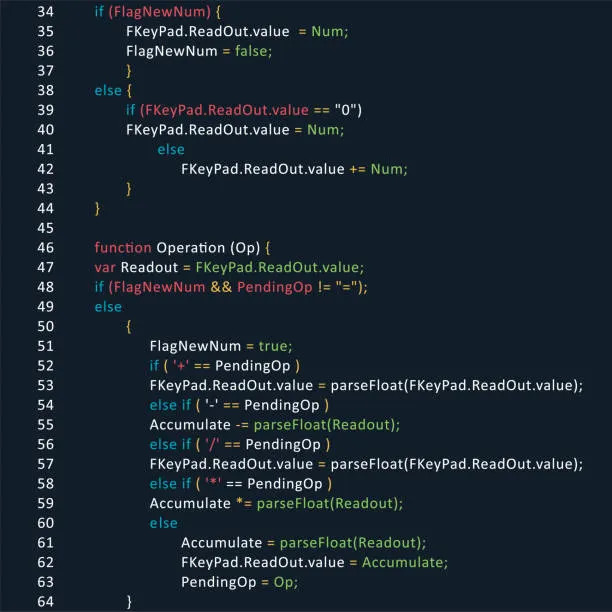
Annnnd that's all I've got for Javascript. -w-
Other Resources
If you're ready to go in depth and create your own website, go to W3Schools to get started!
If you want to add more features, provide extra storage or really don't want to code, you can go and use those websites in the following:
- Catbox.Moe and File Garden (file storages for extra space)
- Atabook and Smart Guestbooks (for Guestbooks)
- HTML5-Templates (if you want to make similar to my website)
- Scripted's Resources (This includes cursors, borders, etc. all customized to your liking)
- Webdeck Player (You have a favorite song on YouTube? Add it onto your playlist for your website!)
Other Layout Builders I can recommend:
- NomNomNami
- PetraPixel
- Eggramen
- hill house
- tiramisu's layouts
- Sadgrl's Layouts
- Other Layout Builders I can recommend:
- NomNomNami
- PetraPixel
- Eggramen
- hill house
- tiramisu's layouts
- Sadgrl's Layouts